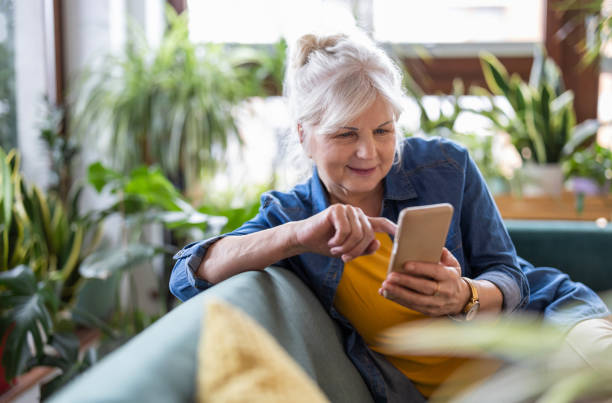
Gadgets for Seniors
Simple Technology for Safety, Comfort, and Independence
Technology is now a natural part of everyday life. For older adults, the right gadgets for seniors can make daily routines easier, improve communication, increase safety, and support greater independence.
However, technology does not have to be complicated to be useful. In many cases, the most helpful devices are simple, practical, and easy to understand.
Whether you are a senior who wants to remain independent, an adult child helping an aging parent, or a caregiver looking for practical solutions, the right technology can make everyday life more comfortable and manageable.
Why Are Gadgets for Seniors Helpful?
Many older adults want to stay active, connected, and independent for as long as possible. Fortunately, technology can support these goals when it is carefully chosen and matched to a person’s individual needs. For example, the right technology can help seniors:
- Stay connected with family and friends
- Set reminders for appointments and daily routines
- Call for help during an emergency
- Make everyday household tasks easier
- Find information quickly
- Enjoy entertainment and hobbies
- Stay connected while aging in place
In addition, technology can give family members greater peace of mind. Knowing that a loved one has an easy way to communicate, remember important tasks, or request assistance can be reassuring.
7 Helpful Gadgets for Seniors
The best gadgets for seniors are not necessarily the newest or most expensive. Instead, they are the devices that solve a genuine problem and fit comfortably into a person’s daily routine.
1. Smartphones With Large, Easy-to-Read Displays
A smartphone can be much more than a device for making calls. In fact, it can also serve as a calendar, alarm, camera, GPS, video-call device, and source of information. For seniors, look for a phone that offers:
- A large, easy-to-read display
- Simple settings
- Clear sound
- Voice controls
- Emergency contact features
- Easy-to-use accessibility options
Moreover, a family member can organize the home screen so that the most important functions are easy to find. As a result, the senior may feel more comfortable using the device independently.
2. Tablets for Communication and Entertainment
A tablet can be another useful option, particularly for seniors who find a smartphone screen too small. For example, seniors can use a tablet to:
- Video chat with family
- Read books and newspapers
- View photographs
- Attend virtual classes
- Play games
- Listen to music
- Browse the internet
Just as importantly, tablets can help older adults stay socially connected. Regular video calls can make it easier for seniors to maintain relationships with family and friends, even when they live far away.
3. Smart Speakers and Voice Assistants
Voice-controlled devices can also make everyday tasks easier. This is especially true for seniors who may have difficulty typing, navigating small screens, or using tiny buttons. For example, a voice assistant may help with:
- Setting reminders
- Checking the weather
- Playing music
- Setting timers
- Making calls
- Controlling compatible lights and home devices
Because these devices respond to simple voice commands, they may be easier for some seniors to use than traditional technology.
At the same time, it is important to choose settings that protect privacy and limit access to personal information.
4. Medical Alert and Emergency Devices
Safety is another important reason many families consider technology for seniors.
Medical alert devices can provide an additional way for an older adult to request assistance during an emergency. Depending on the device, features may include:
- An emergency call button
- Fall detection
- GPS location
- Two-way communication
- Notifications for family members or caregivers
However, these systems should be viewed as an extra layer of support rather than a replacement for personal care or regular check-ins.
For this reason, make sure the device is properly set up, charged, tested, and easy for the senior to use. Most importantly, the senior should understand what happens when the emergency button is pressed.
5. Smartwatches With Safety Features
Smartwatches can also provide helpful features for some older adults. Depending on the model, they may offer activity tracking, emergency communication, fall detection, and location services.
For example, some supported smartwatches can detect a hard fall and, under certain conditions, contact emergency services if the wearer does not respond.
Even so, no device can detect every fall or emergency. Therefore, a smartwatch should be considered one part of a broader safety plan rather than a complete solution.
6. Medication Reminder Devices
Managing medications can become more challenging when a person has several prescriptions or different medication schedules.
Fortunately, medication reminder devices can help provide reminders throughout the day. Some systems can also alert a designated caregiver when a scheduled dose is missed.
These devices can be especially helpful for organization. However, they should support—not replace—directions from a physician or pharmacist.
For best results, choose a system that matches the senior’s routine and ability to use it consistently.
7. Smart Home and Convenience Devices
Small changes around the home can also make everyday life easier.
For example, smart-home devices may include:
- Motion-activated lights
- Smart doorbells
- Automatic lighting
- Robot vacuums
- Electronic timers
- Large-display clocks
In addition, these devices can reduce the need to complete repetitive tasks manually.
For seniors who want to remain at home, these simple conveniences may make daily routines feel more manageable. As a result, technology can become a practical part of an overall aging-in-place strategy.
The best gadgets for seniors are not necessarily the newest or most expensive. They are the ones that solve a real problem and fit comfortably into a senior’s routine.
1. Smartphones With Large, Easy-to-Read Displays
A smartphone can be much more than a way to make a phone call. It can provide a calendar, alarm, camera, GPS, video calling, weather updates, music, and access to helpful services. For seniors, look for a phone with:
- A large, clear display
- Easy-to-read text
- Simple settings
- Strong speaker volume
- Voice controls
- Emergency contact features
A family member can also help organize the home screen so that the most important functions are easy to find.
2. Tablets for Communication and Entertainment
A tablet can be a comfortable option for seniors who find a smartphone screen too small.
With a tablet, older adults can video chat with family, read books, view photographs, attend virtual classes, browse the internet, play games, and stay connected with their community.
For seniors who live alone, video calls can be especially useful. The National Institute on Aging recommends communication technologies such as video chat and smart speakers as ways to help older adults stay connected.
3. Smart Speakers and Voice Assistants
Voice-controlled devices can be useful for seniors who have difficulty typing, navigating menus, or using small buttons. A voice assistant may help with simple tasks such as:
- Setting reminders
- Checking the weather
- Playing music
- Setting timers
- Calling a family member
- Controlling compatible lights or other household devices
For someone who has limited hand mobility or simply prefers not to navigate a touchscreen, voice commands can make technology feel much easier.
4. Medical Alert and Emergency Devices
A medical alert device can provide an additional way for an older adult to request help during an emergency. Depending on the device, features may include:
- An emergency call button
- Fall detection
- GPS location
- Two-way communication
- Caregiver notifications
The National Institute on Aging notes that emergency medical alert systems, fall monitors, and GPS devices may help lower certain risks for older adults who live alone. However, these systems must be set up properly, kept charged, and used consistently. They also should not replace regular check-ins from family members, friends, or caregivers.
5. Smartwatches With Safety Features
Some smartwatches offer helpful features for older adults, including activity tracking, emergency calling, and fall detection.
For example, Apple states that supported Apple Watch models can detect a hard fall and, under certain conditions, automatically contact emergency services when the wearer does not respond.
However, no smartwatch can detect every fall or every emergency. A senior should understand how the device works before relying on it.
6. Smart Medication Reminders
Keeping track of medications can become difficult when several prescriptions have different schedules.
Medication reminder tools can provide alarms or other prompts to help a person remember scheduled doses. Some advanced medication systems can also notify a designated caregiver when a dose is missed.
These devices are meant to support organization and reminders. They should not replace instructions from a physician or pharmacist.
7. Smart Home and Convenience Devices
Simple smart-home gadgets can make everyday tasks more convenient. Examples include:
- Motion-activated lights
- Smart doorbells
- Automatic lighting
- Robot vacuums
- Electronic timers
- Large-display clocks
For seniors who want to remain at home, small changes can make a meaningful difference. The National Institute on Aging recommends evaluating the home environment and making changes that improve safety and support aging in place.
How to Choose the Right Gadgets for Seniors
Before purchasing a new device, consider the person’s actual needs instead of choosing a product simply because it has the most features.
Is it easy to use?
First, consider how comfortable the senior is with technology. A device with too many buttons, complicated menus, or difficult instructions may create frustration.
Can the senior use it independently?
Next, think about whether the person can use the device without constant assistance. Ideally, technology should make life easier rather than create another task.
Does it solve a real problem?
In addition, ask what the gadget is supposed to accomplish. Does it improve communication? Increase safety? Provide reminders? Make household tasks easier?
If it does not solve a meaningful problem, it may not be worth purchasing.
Are there ongoing costs?
Some devices require subscriptions, cellular service, app fees, or replacement batteries. Therefore, consider both the initial price and the long-term cost.
Is privacy protected?
Privacy is equally important. Before using cameras, location tracking, or connected devices, make sure the senior understands what information is collected and who can access it.
Has the device been tested?
Finally, test the device before relying on it. Practice using the basic functions and make sure the senior feels comfortable with them.
Before purchasing a new device, consider the person’s actual needs instead of choosing a product simply because it has the most features.
Is it easy to use?
First, consider how comfortable the senior is with technology. A device with too many buttons, complicated menus, or difficult instructions may create frustration.
Can the senior use it independently?
Next, think about whether the person can use the device without constant assistance. Ideally, technology should make life easier rather than create another task.
Does it solve a real problem?
In addition, ask what the gadget is supposed to accomplish. Does it improve communication? Increase safety? Provide reminders? Make household tasks easier?
If it does not solve a meaningful problem, it may not be worth purchasing.
Are there ongoing costs?
Some devices require subscriptions, cellular service, app fees, or replacement batteries. Therefore, consider both the initial price and the long-term cost.
Is privacy protected?
Privacy is equally important. Before using cameras, location tracking, or connected devices, make sure the senior understands what information is collected and who can access it.
Has the device been tested?
Finally, test the device before relying on it. Practice using the basic functions and make sure the senior feels comfortable with them.
Keep Technology Simple for Seniors
Technology is most useful when it fits naturally into everyday life. For that reason, it is often better to introduce one device at a time instead of purchasing several gadgets at once. Start with the problem that needs the most attention. Then, choose a device that addresses that specific need.
For example, if communication is the priority, begin with a smartphone or tablet. On the other hand, if safety is the main concern, a medical alert device may be a better starting point. In addition, a simple printed instruction sheet can make learning easier. For example:
“To call my daughter, press this button.”
“To ask for help, press this button.”
“To make a video call, tap this icon.”
Most importantly, give the senior time to practice. Learning new technology can take patience, especially when the device is unfamiliar.
Protect Seniors From Online Scams
While technology provides many benefits, seniors should also learn how to recognize common online scams.
For example, scammers may use phone calls, text messages, emails, social media, or fake websites to gain access to money or personal information. Warning signs may include:
- Unexpected requests for money
- Pressure to act immediately
- Requests for passwords or verification codes
- Messages claiming there is an urgent problem
- Offers that seem too good to be true
Because scammers often create a sense of urgency, it is important to slow down and verify the request. A simple rule can help: when something feels urgent, stop and verify it first.
Furthermore, encourage seniors never to share passwords or verification codes and to check with a trusted family member before responding to an unusual request.
Technology Should Support Independence, Not Replace Human Connection
Ultimately, the best gadgets for seniors are tools that support everyday life. Technology can help with communication, reminders, convenience, and safety. However, it should not replace family involvement, meaningful companionship, or appropriate professional support.
For seniors who are aging in place, technology works best when it becomes part of a larger support system. In other words, the goal is not to fill the home with gadgets. Instead, the goal is to choose a few useful tools that make life easier while preserving dignity, independence, and personal choice.
Final Thoughts on Gadgets for Seniors
Choosing technology for an older adult does not have to be overwhelming.
First, consider the person’s lifestyle and daily needs. Next, choose technology that is simple enough to use comfortably. Then, take the time to practice using it.
For example, a smartphone may make communication easier. A tablet may help family members stay connected. A medical alert device may provide an added layer of safety. Likewise, a voice assistant may simplify everyday tasks.
Ultimately, the best gadgets for seniors are not necessarily the most advanced. Instead, they are the ones that provide practical value without making life more complicated.
At Never Left Alone Concierge Services, Inc., we understand that independence looks different for every senior. Therefore, thoughtful planning, practical support, and the right tools can help make everyday life more comfortable and manageable.
Explore our senior care and concierge resources for additional ideas that support comfortable, independent living.